Get Started on Handshake
Handshake is where WWU students find jobs and internships, sign up for career events, and book time with the Student Development Center for career-related appointments. It's also where we keep our guides and templates, including resume and cover letter templates. Setting it up takes about 15 minutes, and the more you fill in, the better your matches get.
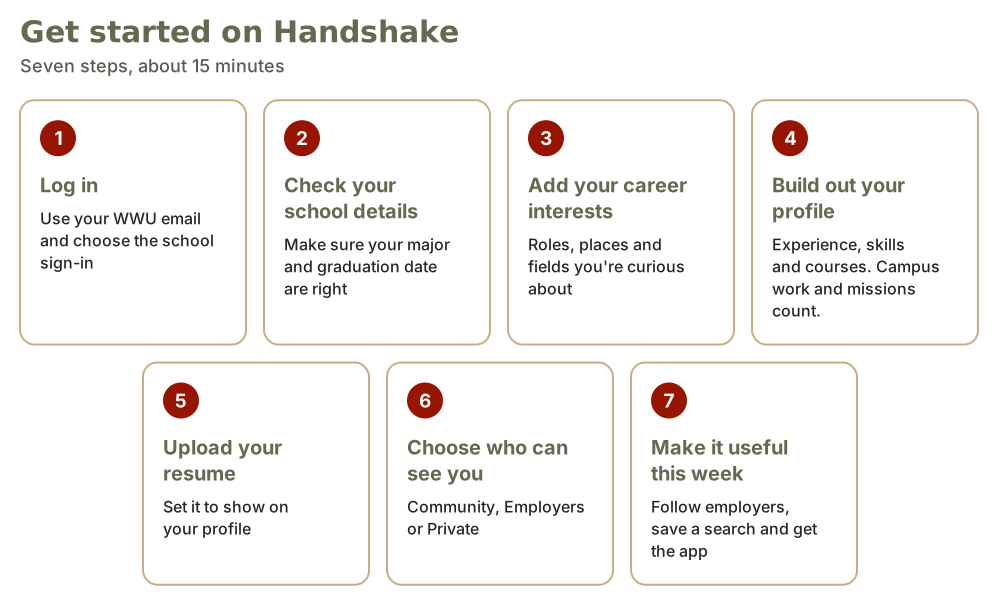
Handshake Login Instructions
1. Log in
Go to wallawalla.joinhandshake.com and enter your WWU email. If Handshake asks, choose Walla Walla University and the school sign-in option. You'll use your regular WWU login, so there's no new password to keep track of.
2. Check your school details
Make sure your major and graduation date are right. Handshake uses them to decide which jobs and events to show you. If something looks wrong, let us know and we'll get it fixed.
3. Tell Handshake what you're looking for
Fill in your career interests: the kinds of positions you want, where you'd like to work, and the fields that interest you. Not sure yet? Pick a few that sound interesting. You can change them anytime.
4. Build out your profile
Add your experience and count more than paid jobs. Campus work, student missions, volunteering, class projects and leadership roles all belong here. Then add your skills and a few relevant courses. Employers search profiles by these details, so be specific.
5. Upload your resume
Upload your most recent resume and consider setting it to show on your profile. Don't have one yet? Start with our templates in Handshake under Career Center, then Resources. Then book an appointment to get feedback on your draft.
6. Choose who can see your profile
- Community: employers, students and alumni on Handshake can see your profile.
- Employers: only employers can see it.
- Private: no one can see it. You can still apply for jobs, but employers can't find or message you, and some virtual events will ask you to change this setting.
If you're looking for a job or internship, we suggest choosing at least Employers. You can change this anytime in your settings.
7. Make it useful this week
- Follow a few employers that you'd like to work for
- Save a job search and turn on alerts
- Download the Handshake app and turn on notifications
Questions about getting set up?
Stop by the Student Development Center on the ground level of Village Hall, and someone at the front desk can walk you through it. You can also email Student.Development@wallawalla.edu or book an appointment.
Graduating or already graduated?
Your Handshake account stays with you after graduation. Once your WWU email and login go away, you’ll need another way to sign in, take this step before you graduate:
Add a personal email. In Handshake, click your profile picture, then Settings, then Account Access. Add a personal email and confirm it from the message Handshake sends within 7 days. Then set it as your primary email.
Already graduated and can't log in, or never activated your account?
Email Student.Development@wallawalla.edu with your full name, graduation year and the personal email you’d like to use. We’ll update your account to that email. Handshake will then send you a message to confirm the new address.